Gemma 4 powered offline education

Quality Education, Offline,
in Any Language.

A free, open-source LMS built for refugee and underserved classrooms. One $100 laptop. One $15 router. A full AI-powered school for an entire class - no internet required.

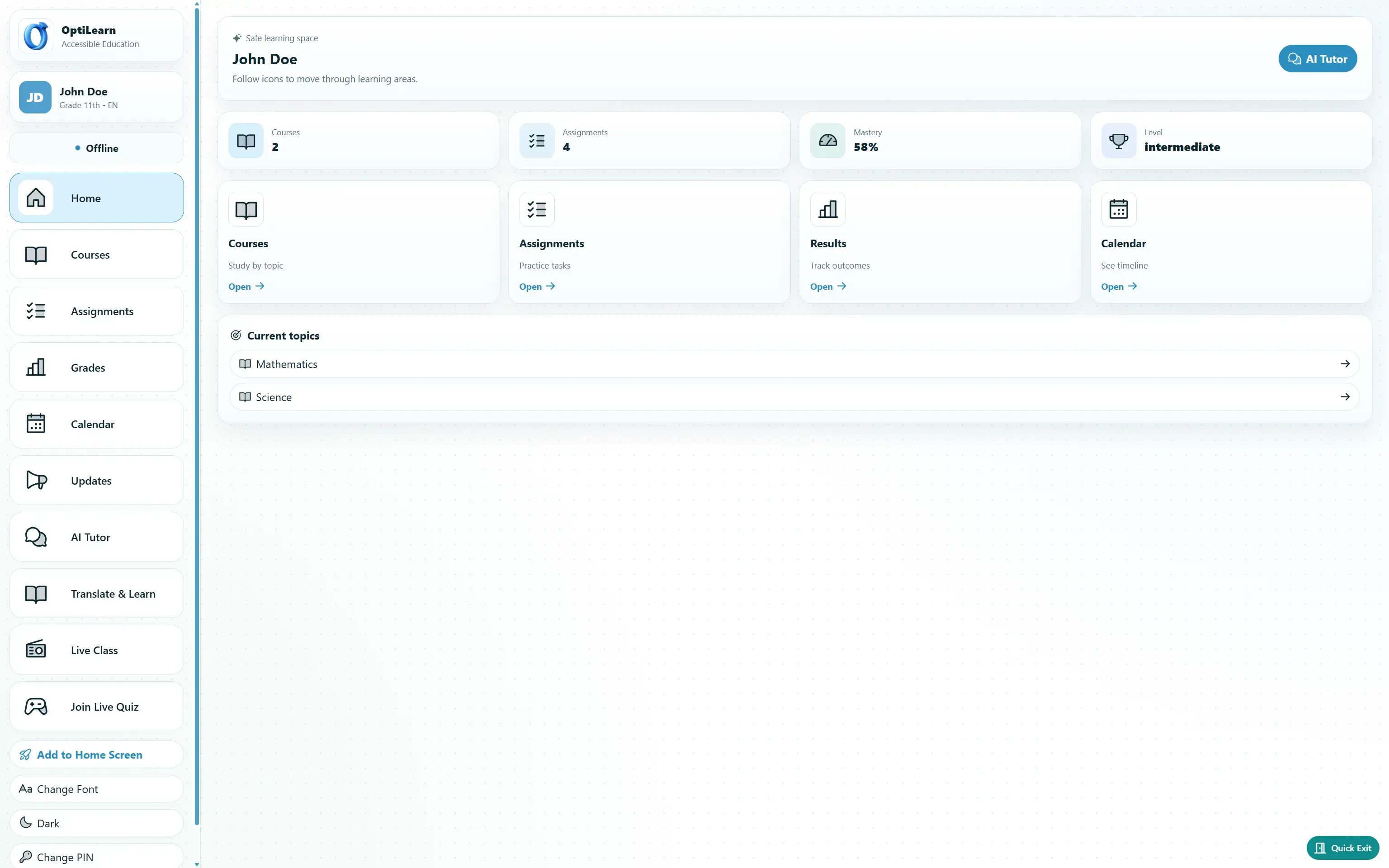
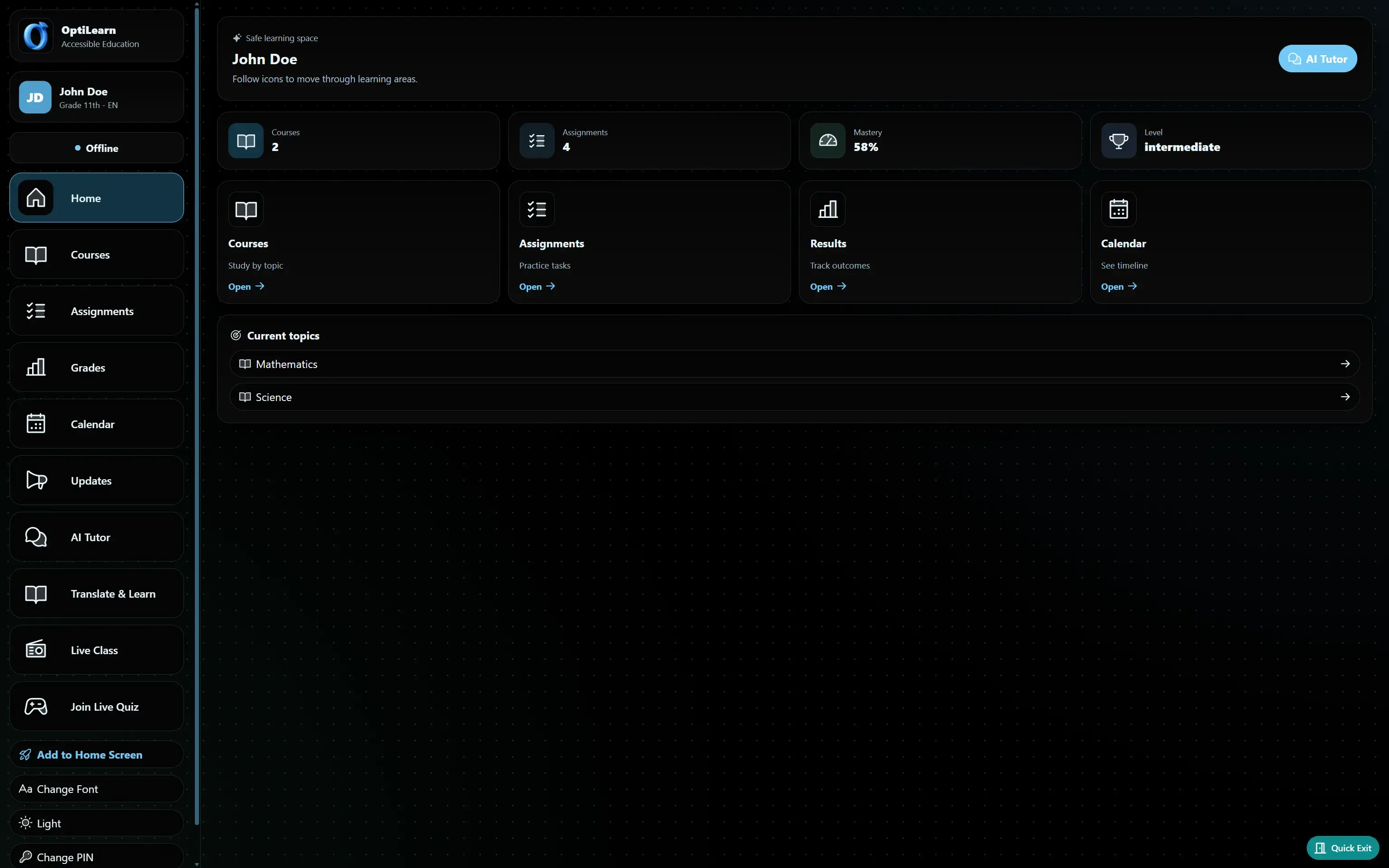
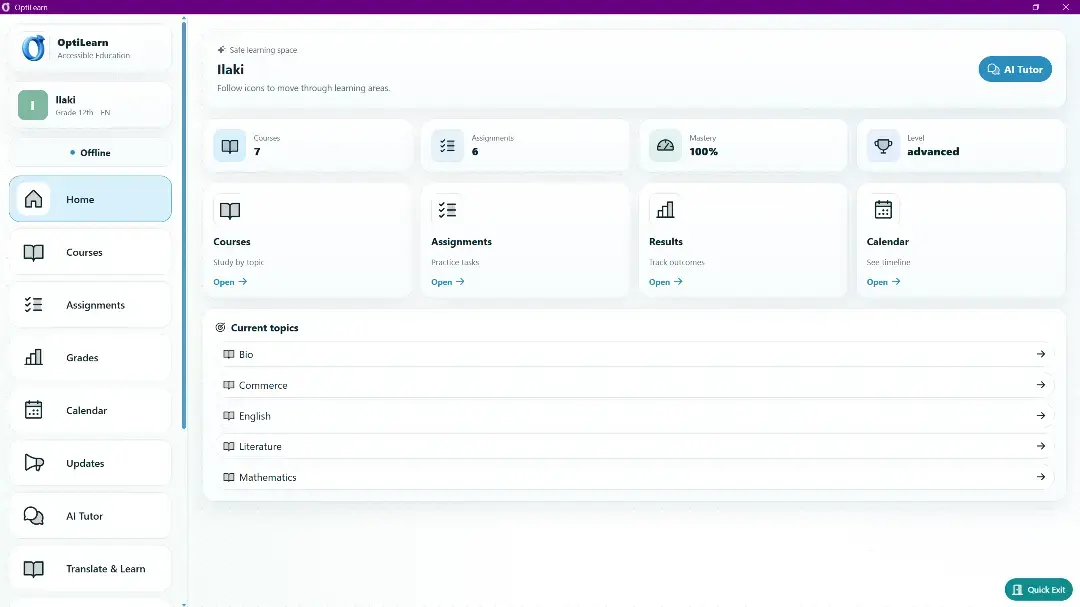
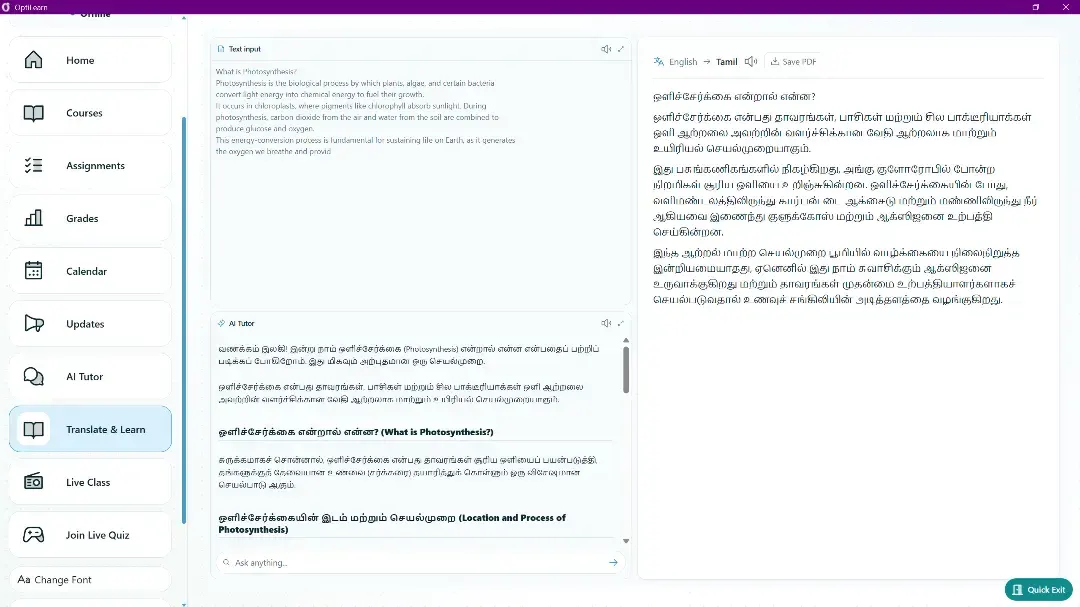
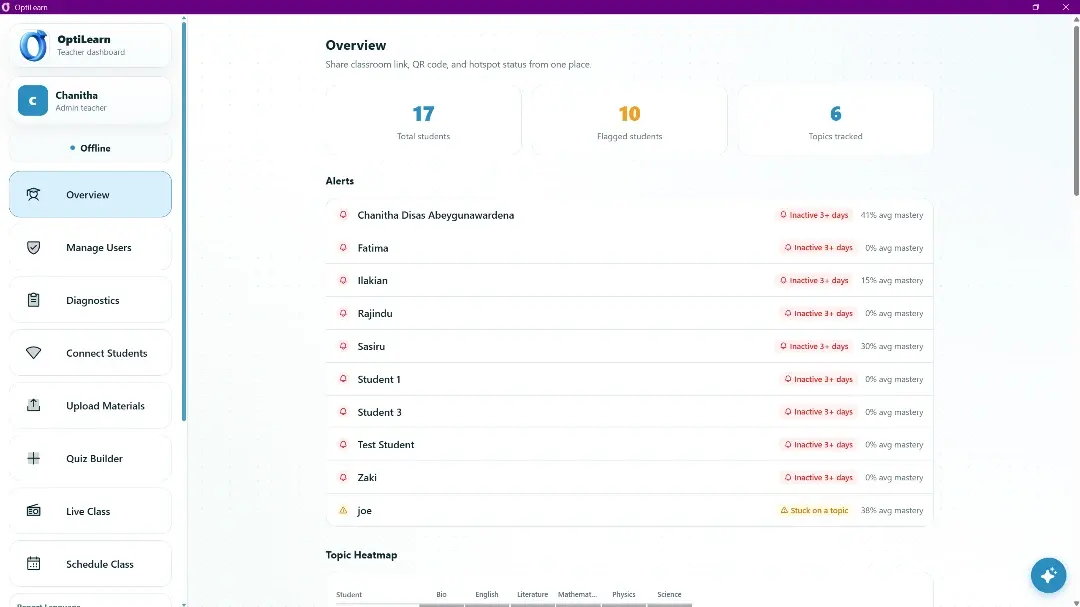
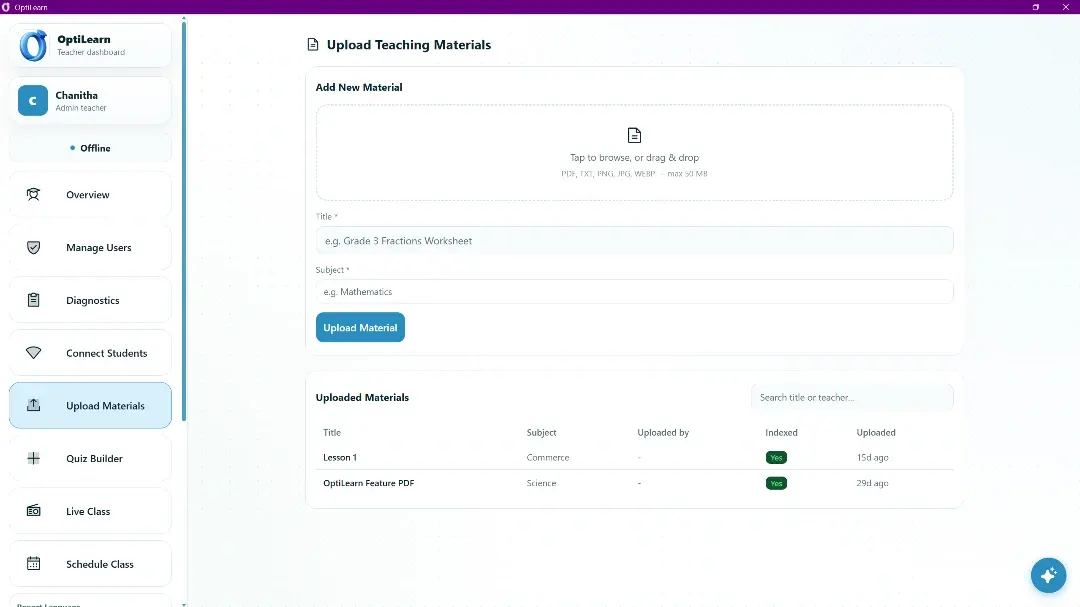
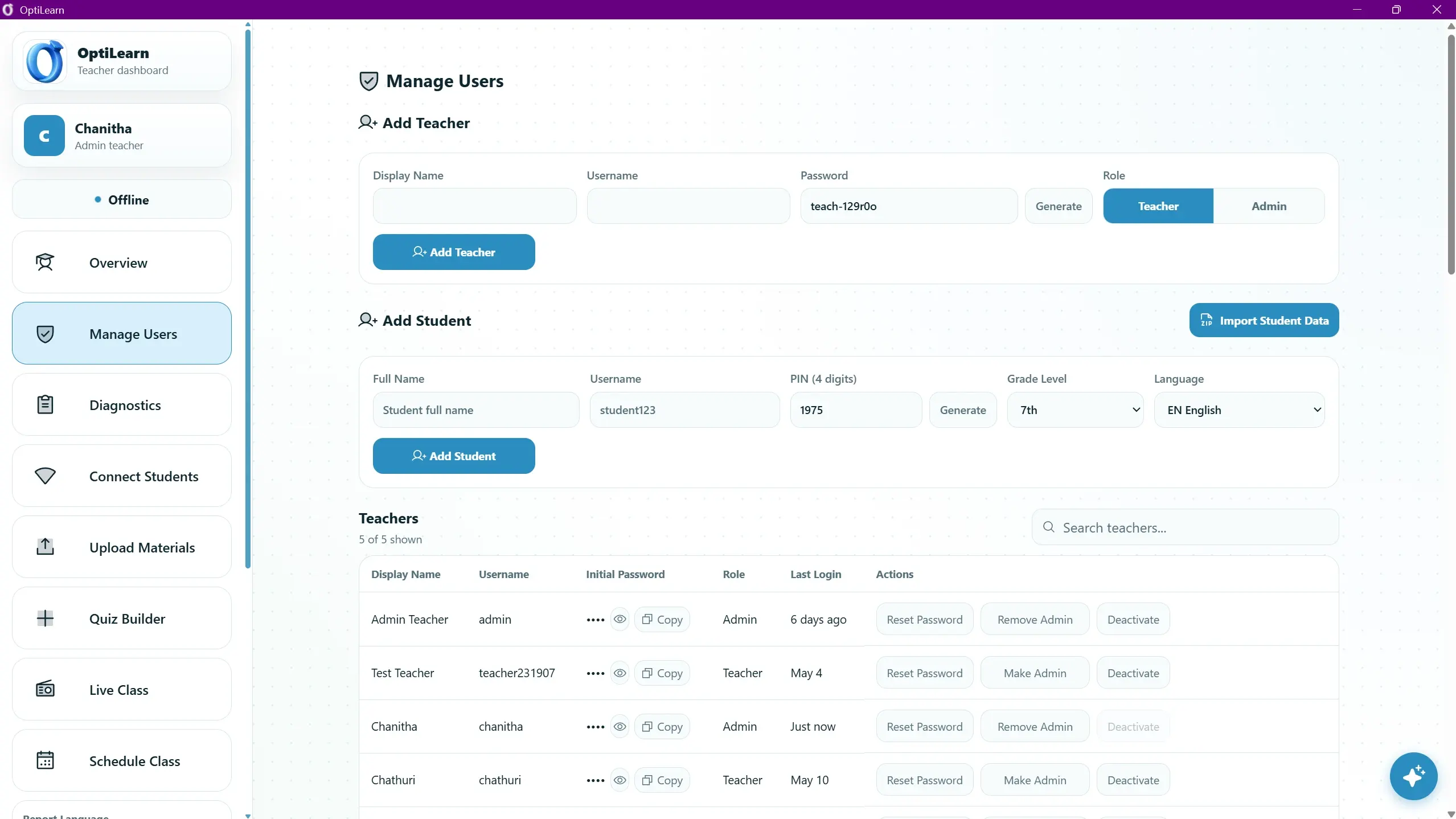
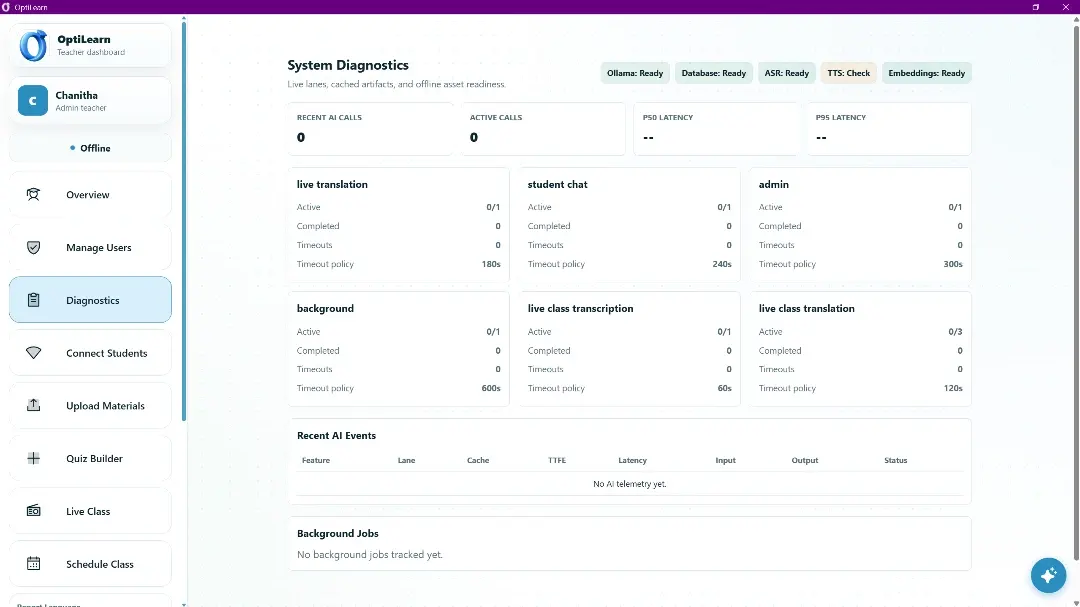
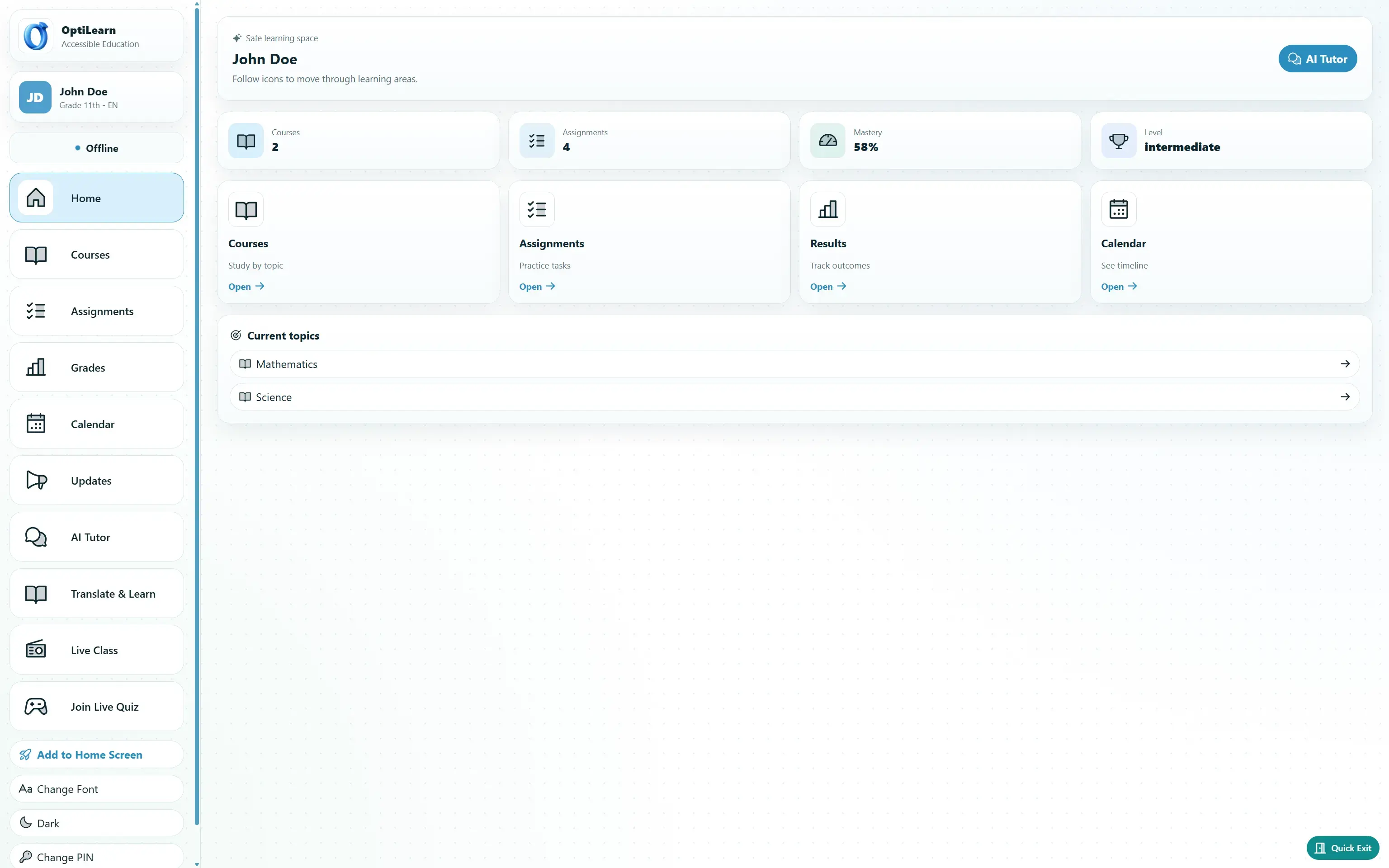
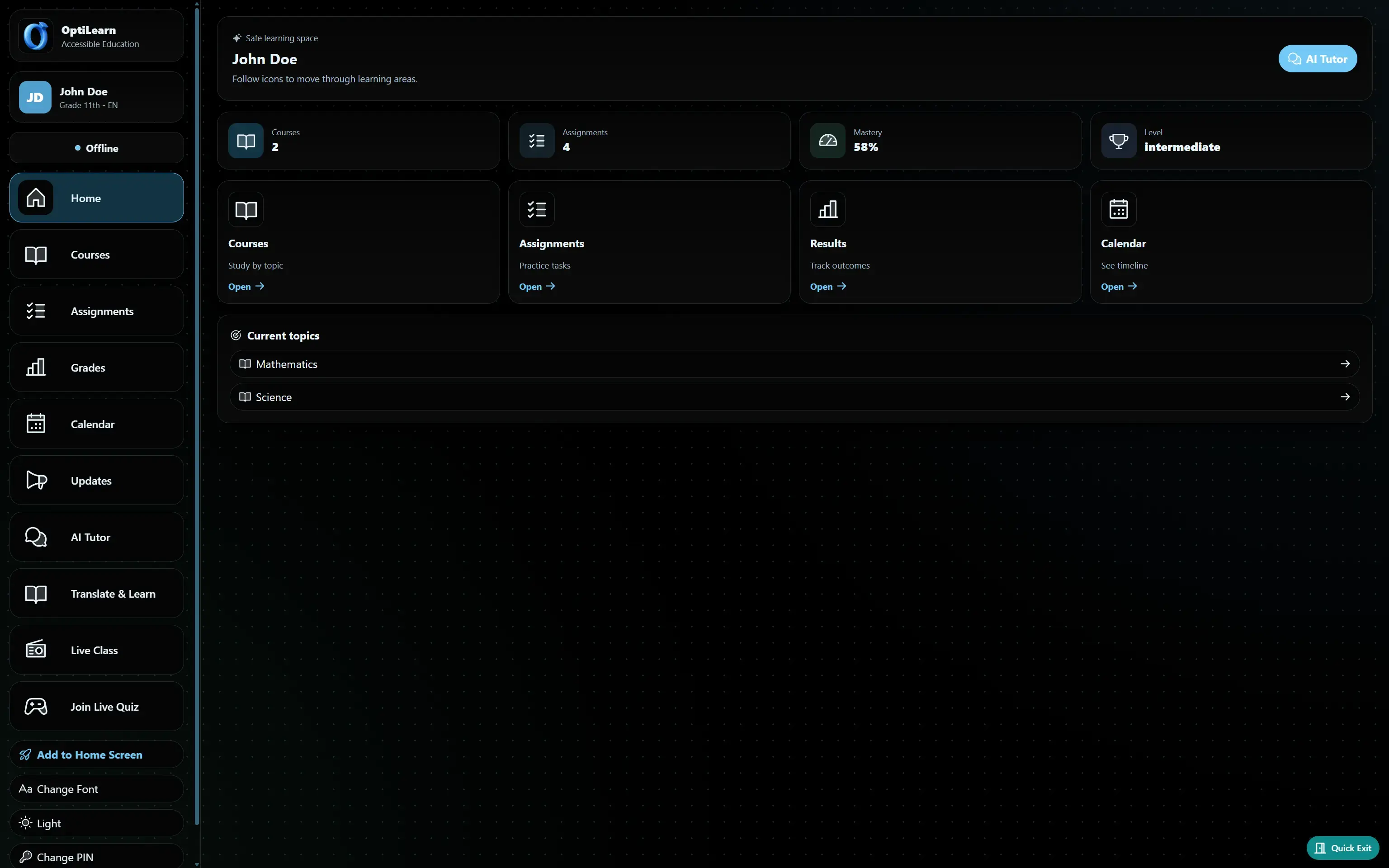
OptiLearn dashboard - live class translation and offline classroom view
The Problem

Standard edtech was not built for this.

Over 120 million displaced people lack access to quality education. The classrooms they attend look nothing like what any edtech product assumes.

At the end of 2024, 123 million people were forcibly displaced globally. Among them, 49 million were children under 18. For most, school is one of the few stable structures left in their lives - and it is failing them.

“These children are not failing school. School, as it was designed, is failing them.”

UNICEF and UNHCR data show 10–33% of displaced children show clinical signs of depression. Among unaccompanied youth, PTSD rates reach 85%.

123Mpeople forcibly displaced globally
49Mof them are children under 18
1:85pupil-to-teacher ratio in camps
51languages in one school district
85%of camp teachers are unqualified
$1,051avg. cost per refugee student

No internet access

Most refugee camps have no reliable connectivity. Traditional e-learning tools simply stop working without it.

Extreme language diversity

Children speak dozens of languages. Most educational software supports 2–3 major ones. None of theirs.

No qualified teachers

85% of camp teachers are untrained volunteers. A third can't speak any language their students use at home.

Features

Everything a school needs. Nothing to pay for.

34 features across AI tutoring, live translation, teacher tools, student tracking, and offline infrastructure — all free, forever.

Pillar 01

Translate and Learn

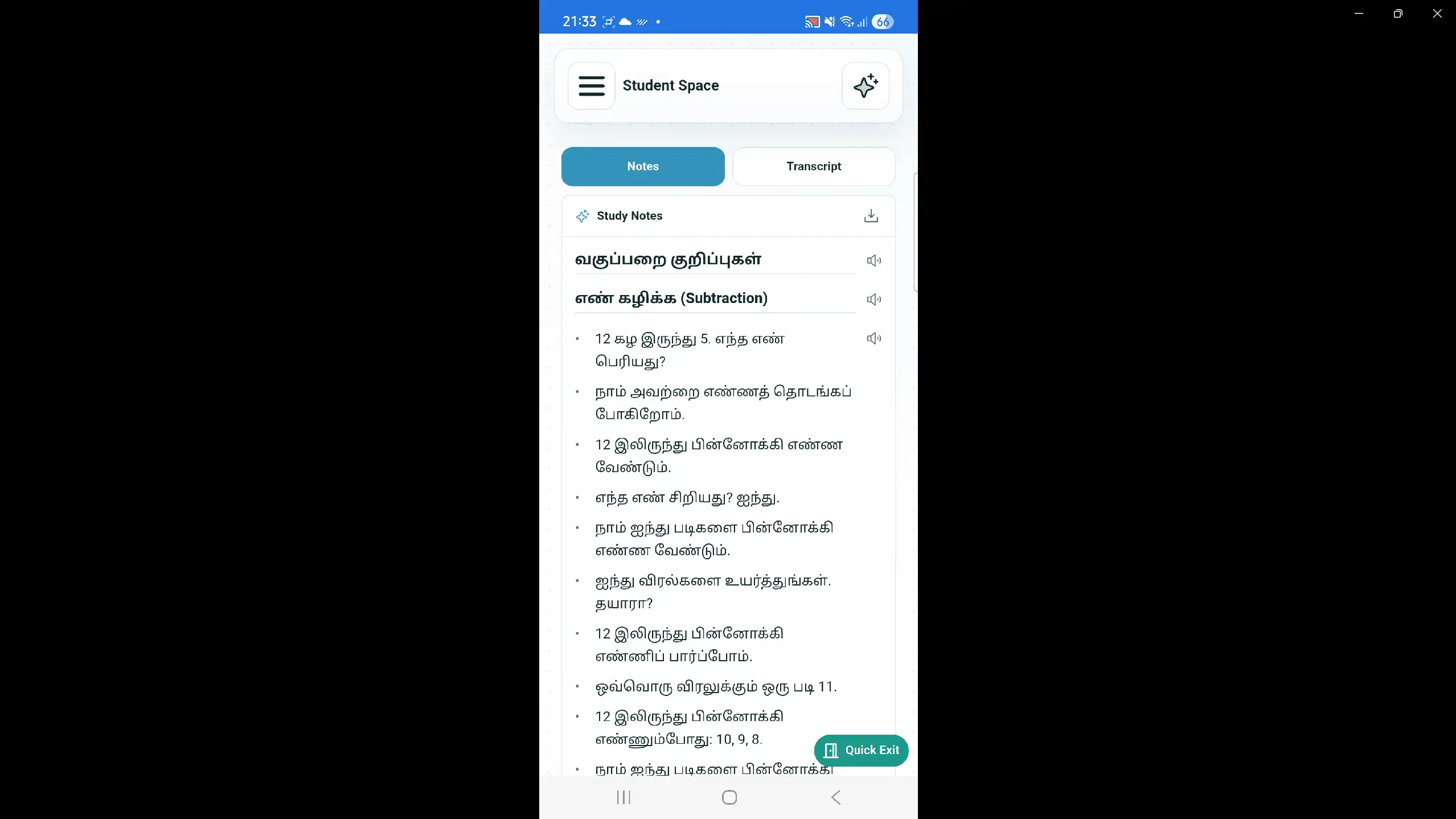
Upload any document or photograph of a textbook page. The system translates the content conceptually into the student's language and generates a full lesson summary with follow-up questions.

  • Any document or photo
  • Conceptual AI translation
  • Socratic follow-ups
  • Offline TTS
Pillar 02

AI Tutor

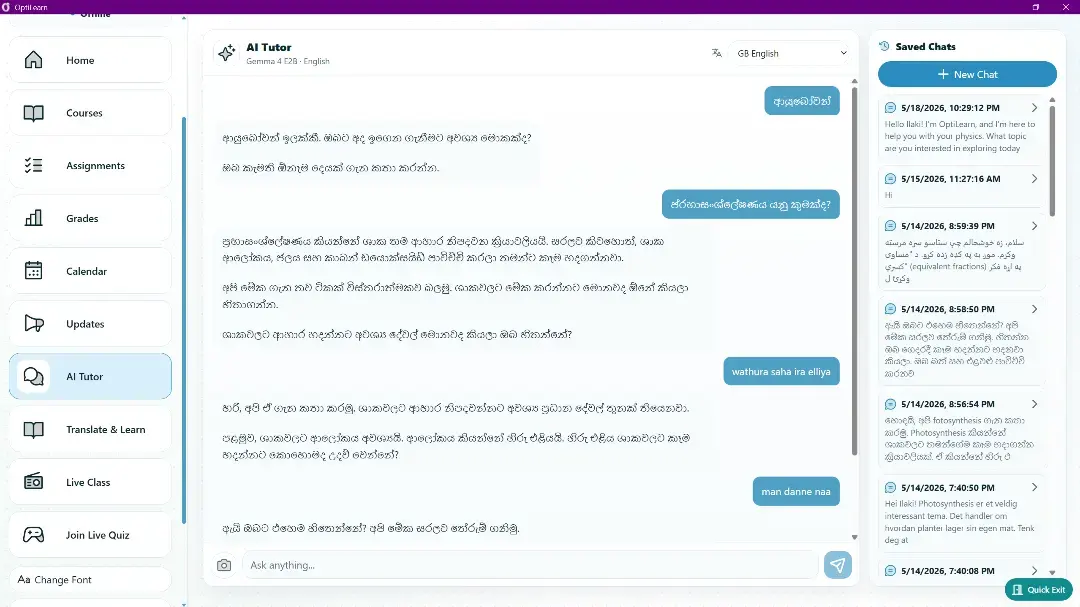
A personal adaptive tutor for every student. Responds using the Socratic method, adjusts explanation depth to the student's mastery level, and never shows discouraging feedback. Supports text and uploaded images.

  • Personalised per student
  • Mastery tracking (4 levels)
  • No discouraging language
  • Private progress
Pillar 03

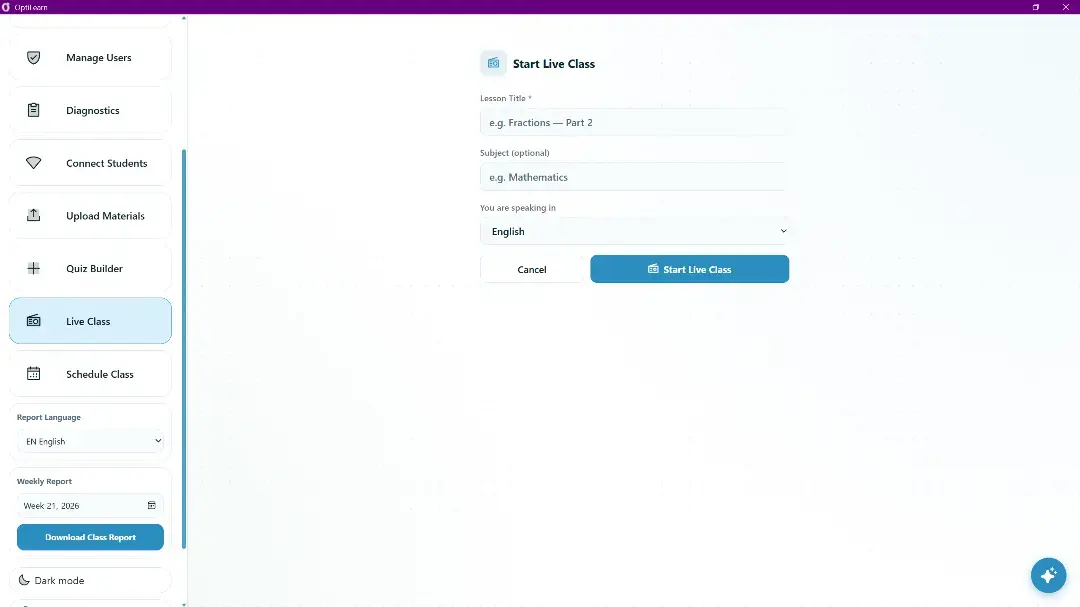
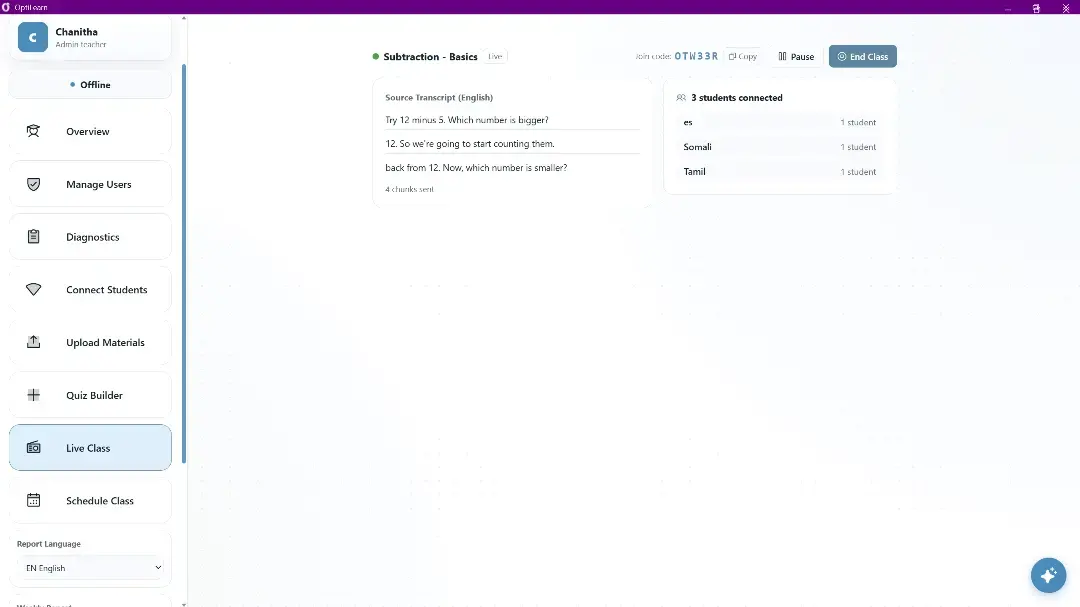
Live Class Translator

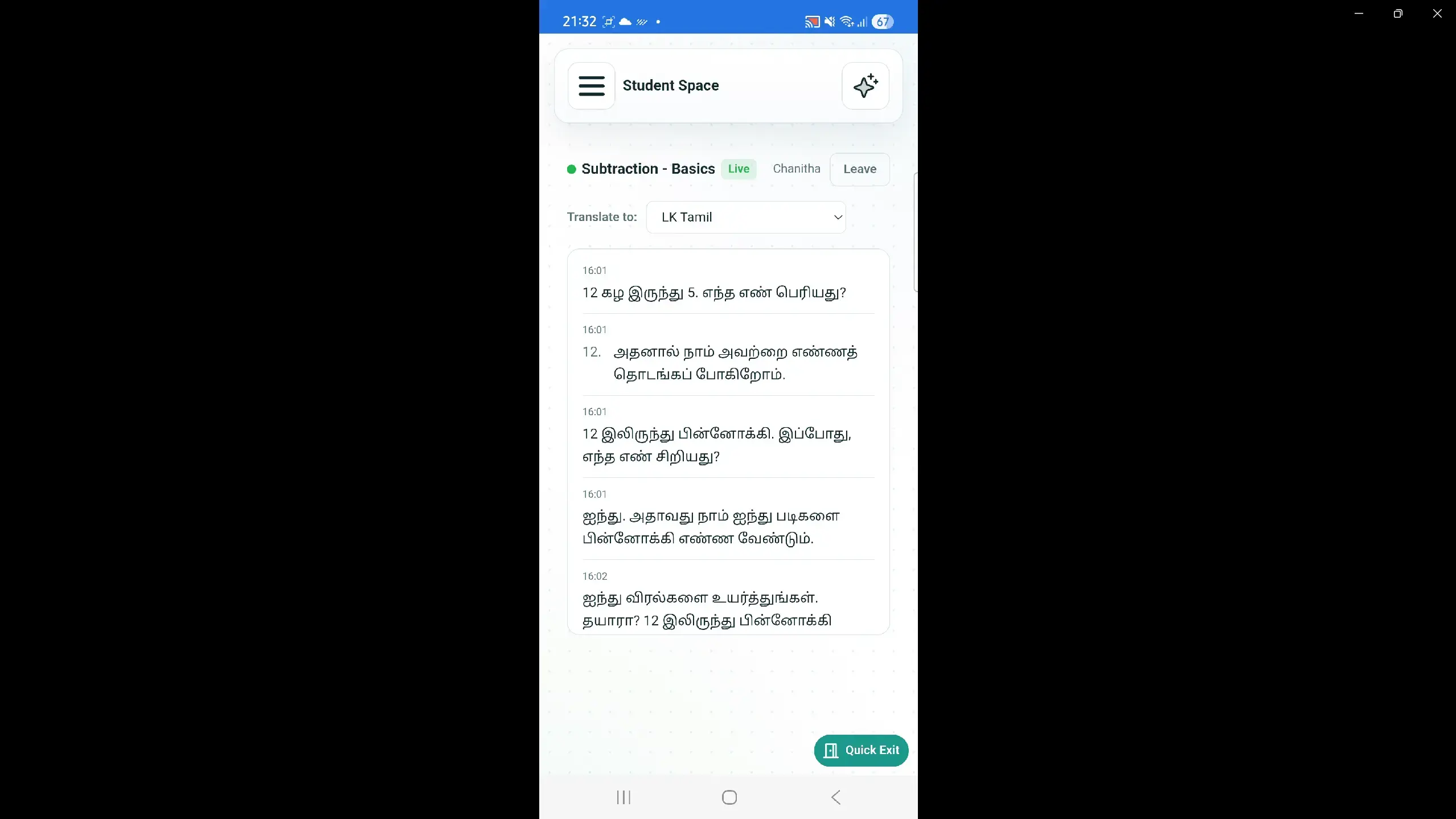
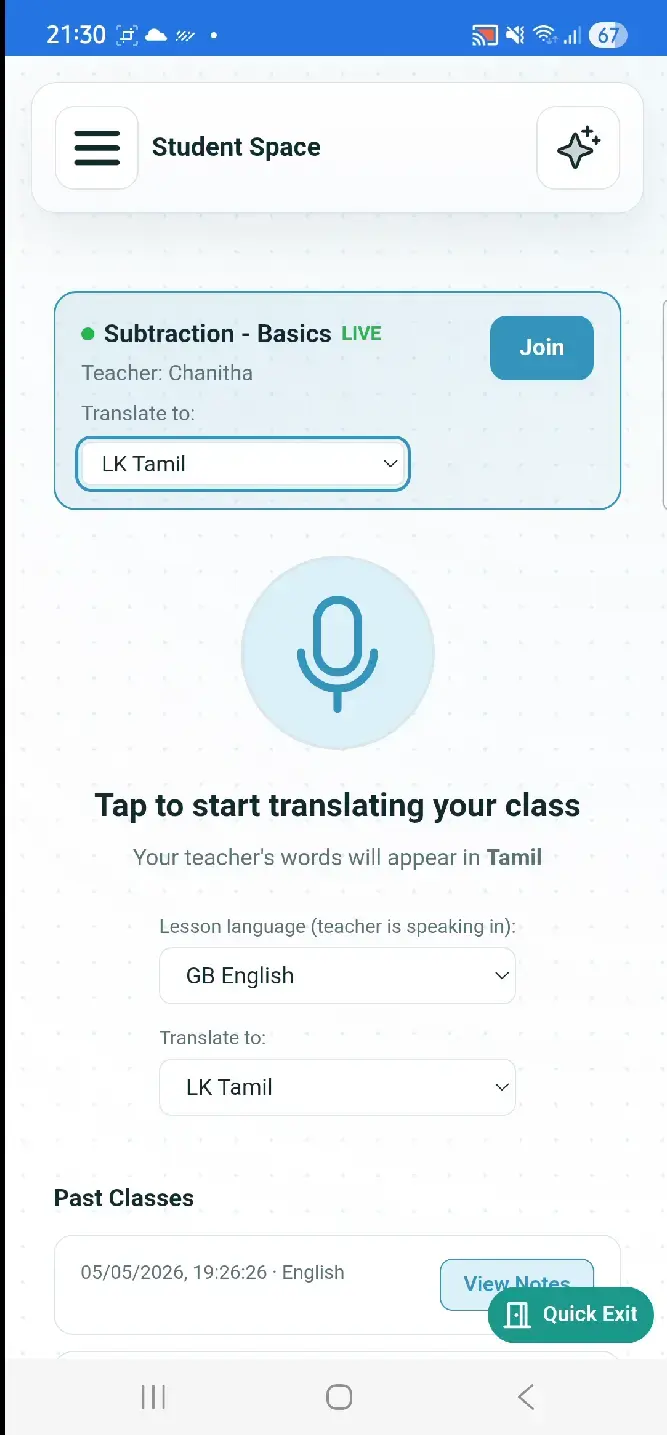
Real-time speech transcription and per-student translation during lessons. No lag. No internet. No extra hardware beyond a microphone.

  • Real-time transcription
  • Per-student language
  • Auto-generated notes
  • Full session history

All 34 capabilities

Impact
Cost per student
UNHCR / World Bank

UNHCR Baseline - No AI

$1,051

per student

OptiLearn - Full AI

~$200

per student
81%
cheaper

OptiLearn saves $851 per student - with a full AI tutor, live translation, and offline operation.

The UNHCR baseline has no AI at all. OptiLearn runs on the hardware already being donated to refugee camps by Google, IRC, Lenovo, and Close the Gap.

Built for 250 million students that standard systems leave out.

Designed for refugee classrooms, but the barriers it removes are shared across hundreds of millions of students in rural, under-resourced, and language-diverse schools worldwide.

100+
Languages offline
$100
Min. hardware
0
Internet required
1
Laptop per class
How It Works

Set up in minutes. Run for years.

No IT department. No cloud accounts. No ongoing fees. Just a laptop, a router, and OptiLearn.

01

Install on the Teacher's Laptop

Download OptiLearn and run the setup script. It installs the AI model, builds the curriculum index, and configures the server. On Windows, double-click OptiLearn.bat. First launch takes a few minutes. Every launch after that takes seconds.

Supports Windows (.exe) and macOS (.app)
02

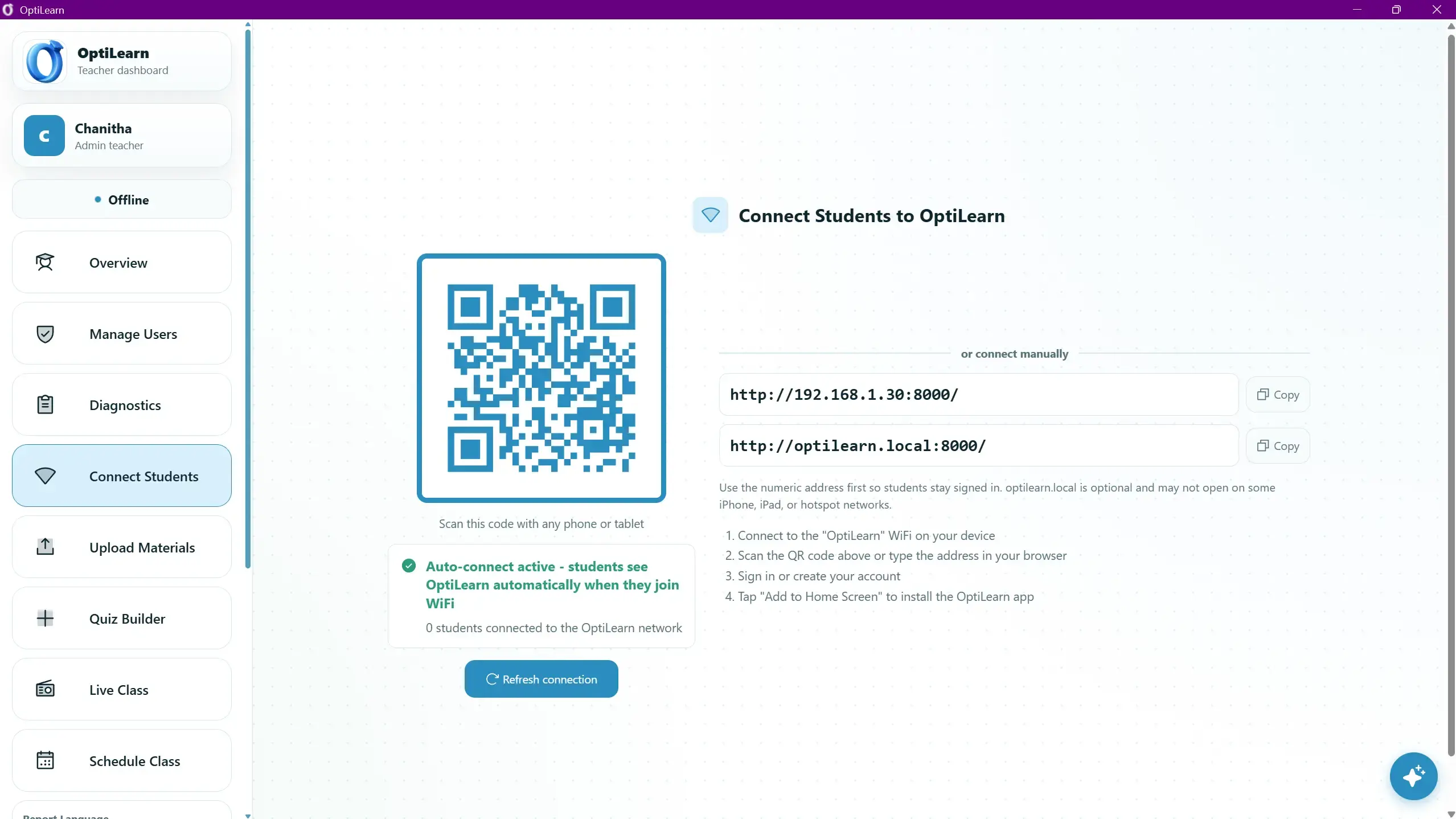
Connect the Classroom

Enable a WiFi hotspot on the teacher's laptop or plug in a $15 travel router. Students connect from any device. OptiLearn announces itself on the network and a QR code gets every student connected in under a minute.

Works with any phone, tablet, or laptop
03

Students Log In with a PIN

The teacher creates student accounts from the dashboard. Each student gets a PIN. They enter it once and stay logged in for 30 days. No email. No password. No app to install.

30-day sessions, zero friction
04

Learning Begins

Students open the AI Tutor, upload material to Translate & Learn, join a Live Quiz, or follow the lesson in their language through Live Class. The teacher watches the dashboard and checks progress in real time.

All AI features run locally - no internet needed
05

Everything Is Saved

Session history, progress data, quiz results, and downloaded notes persist on the teacher's laptop. Student records export as encrypted files and import onto any other OptiLearn installation.

Encrypted student data portability
Technology

Serious engineering for serious constraints.

OptiLearn is not a wrapped chatbot. It is a full production system built around the specific operational realities of offline classrooms: unreliable hardware, multilingual input, low-literacy users, and zero tolerance for data loss.

AI Models
  • Gemma 4 E2B (local)
  • Gemma 4 26B (cloud fallback)
  • Extended E4B variant for complex reasoning
  • Deep thinking mode: offline reasoning for tough questions
  • Optimized for low-latency tutoring
AI Infrastructure
  • Ollama for local model serving
  • FAISS vector search
  • Multilingual MiniLM-L12
  • PyMuPDF PDF extraction
Audio & Speech
  • Piper TTS (100+ languages)
  • ONNX offline voice models
  • Whisper ASR (offline)
  • No audio sent externally
  • Arabic, Swahili, Somali, Dari…
Backend
  • FastAPI
  • 12 route modules
  • SQLite + aiosqlite
  • bcrypt + JWT auth
  • WebSocket (live quiz)
Frontend
  • React 18 + Vite
  • PWA + Workbox offline cache
  • WebSocket client
  • Responsive (phone-first)
  • Dyslexia-friendly fonts
Desktop App
  • PyWebView launcher
  • Python/JS bridge
  • Single-instance mutex
  • Windows (.exe) + macOS (.app)
  • Auto-starts HTTP + HTTPS
Network Stack
  • mDNS via zeroconf
  • Captive portal via dnslib
  • Self-signed TLS at startup
  • All detected LAN IPs covered
  • QR code enrollment
Offline-First
  • 0 internet required (core)
  • Hybrid online/offline AI
  • Auto-upgrade to 26B model
  • Invisible fallback switch
  • Full session persistence

Free. Forever. For Everyone.

Fully open source under the MIT license. NGOs, school systems, governments, and individual teachers can deploy it, modify it, and share it without cost or permission.

We do not charge. We do not collect data. The server runs in the classroom and data stays there.

MIT License - Free to use, modify, and deploy.